What is new in InDesign CC (2014)
Simplified tables - Move rows and columns around in tables by simply selecting, dragging and dropping.
Fixed Layout EPUB - Make interactive EPUB books with live text — such as children’s books, cookbooks, travel books, and textbooks — that are rich with illustrations, photos, audio, video, or animations. Layout and design remain fixed no matter the size of screen they’re being viewed on.
Seamless update - Your presets and preferences, including shortcuts and workspaces, stay with you when you update to a new version of InDesign.
Color groups - Similar to Paragraph Style folders, manage and organize your color swatches to quickly find what you need.
Behance integration - Save work directly from InDesign to Behance to showcase finished projects or share a work in progress. As you perfect your work and upload new versions, get immediate feedback from creatives around the world.
Scaling of effects - Any applied effects you’ve added, such as drop shadows or gradient feathers, will automatically scale as you change the scale of an object or text.
Enhanced search - When searching for text, glyphs, or GREP, you can now search backward with “find previous” in addition to being able to search forward with “find next.”
HiDPI - In addition to support for HiDPI Mac Retina Displays, InDesign is also optimized for HiDPI Windows machines.
Enhanced Footnotes - Footnotes will support text wrap from the containing text frame and external page items.
Enhanced QR Code Creator - You no longer have to manually create a unique QR code when you’re doing a data merge. With this new feature, they’ll be created automatically.
Improved Packaging - In addition to INDD, linked files, and fonts, you can now include PDFs IDML files when you’re creating a package from InDesign. This ensures that your document can be opened and viewed by people on different versions.
PDF Passthrough Printer - Print your documents directly to PDF Print Engine devices without having to convert your file to a PDF.
System Requirements
-Intel Pentium 4 or AMD Athlon 64 processor
-Microsoft Windows 7 with Service Pack 1, Windows 8, or Windows 8.1
-2 GB of RAM (8 GB recommended)
-2.6 GB of available hard-disk space for installation; additional free space required during installation (cannot install on removable flash storage devices)
-1024 x 768 display (1280 x 800 recommended) with 32-bit video card; supports HiDPI display
-Adobe® Flash® Player 10 software required to export SWF files
Languages : Dansk, Deutsch, English, Español, Français ,Français*, Hebrew*, Hungarian, Italiano, Nederlands, Norwegian, Polish, Português (Brasil), Suomi, Svenska, Turkish, Ukrainian, čeština, Русский, عربي*, 日本語, 简体中文, 繁體中文, 한국어
* Arabic and Hebrew supported in a Middle Eastern version with full right-to-left language support, Arabic/Hebrew features, and an English interface; also in a North African French (Français*) version with full right-to-left language support, Arabic/Hebrew features, and a French interface.
Homepage : https://www.adobe.com/products/indesign.html
Part = 300 MB
Password: oneshiro12
FEATURES
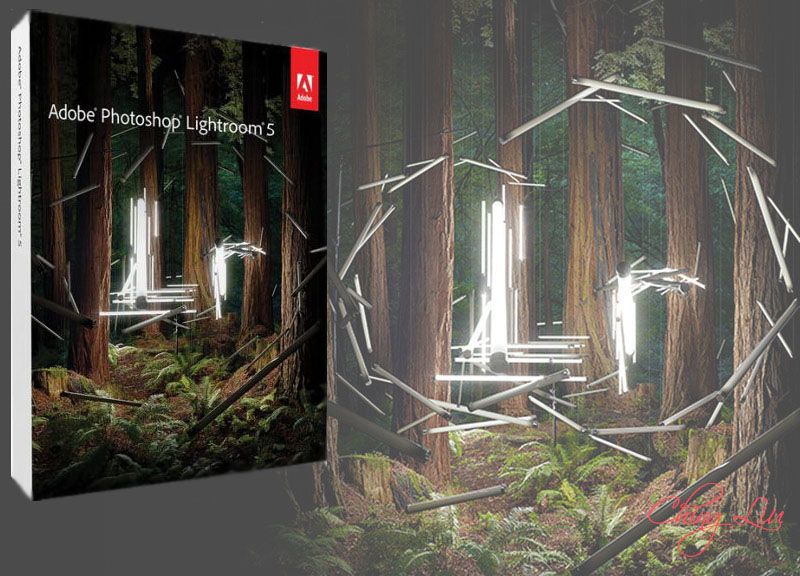
NEW Advanced Healing Brush - Don't let dust spots, splotches, or other distractions and flaws get in the way of a great shot. With the Advanced Healing Brush in Adobe® Photoshop® Lightroom® 5, you can not only change the brush size but also move it in precise paths. Unwanted scene elements even those with irregular shapes such as threads just disappear.
NEW Upright - Straighten tilted images with a single click. The new Upright™ tool analyzes images and detects skewed horizontal and vertical lines, even straightening shots where the horizon is hidden.
NEW Radial Gradient - Emphasize important parts of your image with more flexibility and control. The Radial Gradient tool lets you create off-center vignette effects, or multiple vignetted areas within a single image
NEW Smart Previews - Easily work with images without bringing your entire library with you. Just generate smaller stand-in files of your full-size images. Any adjustments or metadata additions you make to these files will automatically be applied to the originals.
NEW Video slide shows - Easily share your work in elegant video slide shows. Combine still images, video clips, and music in creative HD videos that can be viewed on almost any computer or device.
NEW Improved photo book creation - Create beautiful photo books from your images. Lightroom 5 includes a variety of easy-to-use book templates, and now you can edit them to create a customized look. Upload your book for printing with just a few clicks. Receive 25% off from Blurb* on your first book created using Lightroom 5.
Location-based organization - Find, group, and tag images by location, or plot a photo journey. Automatically display location data from GPS-enabled cameras and camera phones.
Highlight and shadow recovery - Bring out all the detail that your camera captures in dark shadows and bright highlights. Now you have more power than ever before to create great images in challenging light.
Advanced black-and-white conversion - Gain powerful control over the tonal qualities that make or break black-and-white images. Precisely mix information from eight color channels when you convert to grayscale.
Fast cross-platform performance - Speed up day-to-day imaging tasks and process images faster with cross-platform 64-bit support for the latest Mac OS and Windows® operating systems.
Tight Photoshop integration - Select one or multiple photos and automatically open them in Photoshop to perform detailed, pixel-level editing. See your results immediately back in Lightroom. Get Lightroom 5 and Photoshop CC together plus Adobe Premiere® Pro CC and more in Adobe Creative Cloud™.
Selective adjustment brushes - Expand your creative control with flexible brushes that let you adjust targeted areas of your photo for just the look you want. Selectively adjust brightness, contrast, white balance, sharpness, noise reduction, moiré removal, and much more.
Superior noise reduction - Get amazing, natural-looking results from your high ISO images with state-of-the-art noise reduction technology. Apply noise reduction to the entire image, or target specific areas.
Nondestructive environment - Set your creativity free in a nondestructive editing environment that lets you experiment without limits. Your original images are never altered, and it's easy to reverse your steps or save multiple versions of any photo.
Develop presets - Save time by instantly applying favorite looks to images. Store Develop settings as presets and apply them to your other photographs at any time with one click. Many presets are included, and thousands more are available from Lightroom photographers and experts.
New Features in Lightroom 5.6:
New Camera Support in Lightroom 5.6-Nikon D810
-Panasonic LUMIX AG-GH4
-Panasonic LUMIX DMC-FZ1000
New Lens Profile Support
*Check homepage: http://blogs.adobe.com/lightroomjournal/2014/07/lightroom-5-6-now-available.html
Bugs Corrected in Lightroom 5.6-Collections with a custom sort order would sometimes not properly sync with Lightroom mobile.
-Updated the “Adobe Standard” color profile for the Nikon D810. Please note that this only impacts customers who used Camera Raw 8.6 or DNG Converter 8.6 to convert NEF raw files from the D810 to DNG
-Star ratings set in Lightroom mobile did not properly sync to Lightroom desktop. Please note that this only occurred on images that were added to Lightroom mobile from the camera roll
-Resolved the issues causing the persistent “Syncing … images” state that some of our customers have reported.”
-Star ratings would sometimes not sync from Lightroom desktop to Lightroom mobile. Please note that this only occurred when attempting to sync a Collection that contained more than 100 photos that already contained star ratings.
-Added information to the “System Info” dialogue to help designate if the customer installed Lightroom from the Creative Cloud.
-Unable to open sRaw files from the Nikon D810. Please note that this only impacted customers that converted D810 sRaw files to DNG in either Camera Raw 8.6 RC or DNG Converter 8.6 RC.
-Images with invalid GPS coordinates would not properly sync with Lightroom mobile
-Lightroom occasionally crashed when changing image selection on Windows. Please note that this only occurred on the Windows platform.
-JPEG files exported from Lightroom would not open or be available to edit within Canon Digital Photo Professional application software.
-Lightroom would run in reduced functionality mode when it should not.
System requirements
* Intel® Pentium® 4 or AMD Athlon® 64 processor*
* DirectX 10–capable or later graphics card
* Microsoft® Windows® 7 with Service Pack 1 or later
* 2GB of RAM (4GB recommended)
* 2GB of available hard-disk space
* 1024x768 display
Languages : English, Deutsch, Español, Français, Italiano, Nederlands, Português (Brasil), Svenska, 日本語, 简体中文, 繁體中文, 한국어
Homepage : https://www.adobe.com/products/photoshop-lightroom/features.html
..::Download::..
Part = 300 MB
Password: oneshiro12
NEW IN ADOBE PREMIERE PRO CC 2014
Live Text templates - Modify the text in After Effects compositions without leaving Premiere Pro. (Requires 2014 release of After Effects.)
Masking and tracking - Create feathered masks that obscure or highlight objects by following their movement across frames. Send masks to After Effects via Dynamic Link to access more advanced tracking features.
Master clip effects - When you apply effects to a master clip, the changes ripple down through every part of that clip in your sequence.
Enhanced graphics performance in Mercury Playback Engine - Work faster thanks to OpenCL workflow improvements, a GPU debayer for RED media, and new support for Intel Iris.
Faster editing workflow - Get better handling of large projects plus faster sorting and searching in the Project panel. Multiple new editing features respond to key customer requests like reverse match frame and volume keyframe nudge.
New delivery formats - Export to industry-standard AS11 for broadcast and Digital Cinema Package (DCP) for screening rooms. Both formats include associated metadata. Also, export stereo audio to Dolby Digital and Dolby Digital Plus.
Typekit integration - Browse fonts from Typekit from the Title menu and download them for use in your projects.
AutoSave to Cloud - Automatically back up your Premiere Pro projects to Adobe Creative Cloud.
New native format support - Get built-in support for the ARRI AMIRA camera, with appropriate color LUTs applied as master clips on import. Also get native support for Sony SStP, Canon RAW, and improved support for CinemaDNG formats.
Streamlined voiceover recording - Access audio input settings, recording preferences, and signal monitoring from the Timeline panel. After setup, record voiceover directly in the Timeline with one click.
Maintain pitch during scrubbing - Maintain audio pitch when scrubbing or playing back at higher or lower speeds, so it’s easy to hear spoken and musical cues.
And so much more - Also includes: A Reverse Match Frame command; a Track Select Backwards tool; improved Project Panel search and sort times; Mercury OpenCL support for Intel Iris architectures; and more.
System Requirements
-Intel Core2 Duo or AMD Phenom II processor with 64-bit support
-Microsoft Windows 7 with Service Pack 1 (64 bit) or Windows 8 (64 bit)
-4 GB of RAM (8 GB recommended)
-4 GB of available hard-disk space for installation; additional free space required during installation (cannot install on removable flash storage devices)
-Additional disk space required for preview files and other working files (10 GB recommended)
-1280 x 800 display
-7200 RPM or faster hard drive (multiple fast disk drives configured for RAID 0 recommended)
-Sound card compatible with ASIO protocol or Microsoft Windows Driver Model
-QuickTime 7.6.6 software required for QuickTime features
-Optional: Adobe-certifi ed GPU card for GPU-accelerated performance
-Internet connection and registration are necessary for required software activation, validation of subscriptions, and access to online services.*
Languages : Deutsch, English, Español, Français, Italiano, Português (Brasil), Русский, 日本語, 한국어
Homepage : http://www.adobe.com/products/premiere.html
..::Download::..
Part = 500 MB
Password: oneshiro12
DAEMON Tools Ultra - a new product line of DAEMON Tools, which successfully combines the key features of DAEMON Tools Pro and user-friendly interface. Daemon Tools - CD-ROM emulator with support for many systems of protection. Supports many image formats CD. The program emulates a conventional disk drives and the protection type BACKUPcopies (SafeDisc), Securom and Laserlock. A small and handy utility for working with CD images in various formats, including ISO, CCD (CloneCD), BWT (Blindwrite), NRG (Nero), and others.
Key features:
Basic backup features
Mounting *. Mdx, *. Mds / *. Mdf, *. Iso, *. B5t, *. B6t, *. Bwt, *. Ccd, *. Cdi, *. Bin / *. Cue, *. Ape / * . cue, *. flac / *. cue, *. nrg, *. isz disc images to a virtual drive
Converting images from all supported formats to *. Mdf / *. Mds, *. Mdx, *. Iso
Create *. Iso, *. Mds / *. Mdf and *. Mdx images of CD / DVD / Blu-ray discs
Creating a compressed disc image or split the image into several files
Protecting images password
VHD image format support
DAEMON Tools Ultra allows you to create and mount a virtual hard disk (VHD)
Store your data in the VHD image format
Now you can easily access the data stored in VHD files
Virtualization drives
Use the "Quick mount" for 32 images
Install up to 32 SCSI and 4 IDE drives in the sum in extended mode
iSCSI client
Built-in iSCSI initiator support iSCSI targets are (only optical drives), created on the server database or third-party iSCSI servers.
DT virtual drive allows you to mount iSCSI targets are the same as disc images.
Additional features when working with images
Create or modify images using the new convenient widgets
Record created images to disc
Convert images from all supported formats to *. Mdf / *. Mds, *. Mdx
Master bootable discs or images
Manage image directory
Interface of the new generation
Try to work with wizards for key functions when working with images
Estimate the new affordable and convenient design image directory
Mount the disk image with a single click with the function "Quick mount"
Perform basic operations on the Windows desktop with a handy gadget DAEMON Tools
GameSpace - we know all about the games
Find detailed information on the images from your collection
Daily gaming news and reviews
View the most relevant video games and more
Tops most popular images
Find similar images by tags
Changes in version:
New features:
Creating images of True Crypt.
Mount ZIP-password-protected files.
Bugs:
Minor bugs.
Version Features:
Type: Installation
Languages: English, Russian, Ukrainian
Treatment: there [crack-ADMIN @ CRACK]
Cut: gadget, other localization
Extras: grab new versions of SPTD, settings file Settings.reg
Command line options:
Silent install Russian version: / S / RU
Silent Installation Ukrainian version: / S / UA
Silent install English version: / S / EN
Do not create a shortcut on your desktop: / ND
Do not create a shortcut in "Start»: / NS
Siting: / D = PATH
Key / D = path should be the latest
For example: Daemon.Tools.Ultra.v2.4.0.0280.exe / S / RU / D = C: MyProgram.
Password: oneshiro12
A unique collection of plug-in Topaz 14 in 1 for different tasks in Photoshop. Update July 2014
Topaz Detail 3.2.0 - plug-in for Adobe Photoshop to create the HDR-images without the appearance of luminous halos. In addition, the use of Topaz parts, you can increase or decrease the sharpness of images, convert images to grayscale with full control of tonal range. The essence of this plugin is as follows: Topaz Detail share your photos in three parts — small parts, medium and large items — and gives full control of any type. It provides unlimited opportunities for both beginners and professional photographers who can provide high quality and clarity of the image with just one connector.
Topaz DeNoise 5.1.0 - plug-in to remove noise in the photo in Adobe Photoshop. The plugin uses the latest technology of high-quality noise in digital photos, saving more image details. In Topaz DeNoise 3, a completely new approach to noise reduction, which differs from other methods to date. Unlike other similar programs, in which the blurred image details, DeNoise analysis of all image processing, and, therefore, eliminates the noise while preserving the conservation of important detail of the image.
Topaz Simplify 4.1.1 - plug-in for Adobe Photoshop to create masterpieces of art from any of the pictures. With Topaz Simplify, you can create stunning images with simulated oil paints, watercolors, pencil and wood. To achieve results quickly, you can use ready-made presets. Using their own settings and adjustments you can keep them in their own settings to use them in the next image. In addition, the use of Topaz Simplify, you can create thumbnails of images with simulated pencil sketch. Plug-in opens up many new opportunities for professional photographers and digital artists.
Topaz ReMask 4.0.0 - great plugin for Adobe Photoshop, allows you to quickly and easily distinguish objects from backgrounds. Separated at the same object can be used as a separate layer for a smooth integration with other images. The plugin uses a unique technology of the new generation, which allows the automatic mode most accurately cut the object and apply it to another picture. All it takes is a few minutes, highlight the desired object is a special plug-in brush: green brush, you should choose an area that should remain unchanged blue tassel, you should circle the contours of the object plug-in for processing, which automatically separates the object from the background, red brush you excrete the background of your image. Technology used in this program is very accurate and can cope with complicated pictures parts, such as shadows, transparency, small parts, hair, leaves, etc.
Topaz Adjust 5.0.1 - plug-in plugin Adobe Photoshop for processing digital images. This module allows you to easily control many aspects of digital photography, including color, detail, exposure, blur, brightness, contrast, noise reduction and much more. For maximum convenience, an automated intelligent exposure correction, noise removal tool, allows you to save the settings presets for future use, using only one exposure, you can create the highest possible image HDR. Plug-in for 4 has a new, more intuitive user interface, new presets panel, a new window to preview images in the specified format, etc.
Topaz DeJpeg 4.0.2 - plug-in for removing artifacts JPEG image and increase their sharpness in Adobe Photoshop. Many people know little squares and the uncertainty of the compressed image JPEG. Plug-in for Adobe Photoshop Topaz DeJPEG help you clean up parks and improve image clarity. The program is very easy to use because the plugin uses sophisticated algorithms that always achieve the optimal result. As always, for a quick photo manipulation, you can use the built-in presets from Topaz Labs.
Topaz Clean 3.1.0 filter uses a unique structure to improve the image, which removes noise and simultaneously increases the sharpness of the edges.
Topaz Clean - Filter is designed to remove noise from the RGB-image. Unlike most modern methods of noise suppression, which are mainly based on the wavelet method, a unique method of filter Topaz Clean â„¢ allows you to achieve excellent results without calibration chamber to create a "noise profile" or dig with a large number of parameters. In addition, it creates sharp edges and reduces color blurring of contours.
Apply a filter Topaz Clean â„¢ more than once allows you to get results that are not achieved through a one-time processing filter.
Topaz Lens Effects 1.2.0 is a new Photoshop plugin which is due to be released by Topaz Labs. It can easily simulate a wide range of realistic lens, filter & specialty camera effects. Within minutes you can create very realistic effects from a list of 26 popular options, including bokeh, vignette, motion, fisheye, old school, miniatures, color balance, color enhancement and color subtraction, tilt shift and many other adjustments to your pictures. The official release of this exciting new addition to the Topaz collection
Topaz InFocus 1.1.0 uses the most recent image sharpening technology to provide unparralleled, intuitive detail refinement. It is the ultimate tool for superior sharpening, as well as de-blurring out-of-focus and motion blurred images. With Topaz InFocus, you gain tools to improve image clarity simply and effectively. Whether refining fine image features or rescuing a previously unusable out-of-focus image, Topaz InFocus is the most advanced, yet user-friendly, solution to your sharpening needs.Using the most recent deconvolution technology, Topaz Infocus actually reverses the blurring process, allowing lost detail to essentially be recovered. Topaz InFocus offers you unprecedented de-blurring technology and fine detail enhancement for optimal results on every image.
Topaz B&W Effects 2.1.0 is a black and white converter and image enhancer that gives you a variety of tools, making it easy to create stunning black and white compositions. More than your traditional black and white conversion tool, Topaz B&W Effects offers more enhancement tools and greater flexibility for a more diverse range of looks.
Topaz Star Effects 1.1.0 creates unique star and lighting effects by manipulating and enhancing the appearance of various light sources found within your image. With a variety of fully-customizable effect options for modifying light sources, you can easily add a creative or dramatic flare to lights or reflective surfaces to focus more attention on those point. This fun and easy-to-use plug-in simulates traditional photographic star lens filters (also known as cross-screen filters), giving you the ability to digitally create dazzling starbursts, light enhancements and much more.
Topaz Clarity 1.0.0 Spend more time shooting and less time post-processing by applying one of over 100 presets included in Topaz Clarity. These one-click effects were specially developed and fine-tuned for specific types of photos. Instantly add extra depth to your architecture images, wedding photos, and everything in between.
Topaz fhotoFXlab 1.2.8 Ready to experience Topaz in a new way? A standalone application that can also be accessed as a plug-in, photoFXlab™ is the ultimate hub for all things Topaz. With instant access to all of the Topaz plug-ins, photoFXlab™ easily connects you to all of your Topaz effects in a searchable library. Featuring a layered workflow with masking capabilities, selective enhancement brushes with edge-aware technology and a fun new way to InstaTone™ your images, photoFXlab™ is the new way to experience Topaz.
Topaz ReStyle 1.0.0 - Apply professional, robust, and customizable effects to your photos. There are plenty of tools that help you achieve a specific look in your photos. But Topaz ReStyle is different – it gets you results that you wouldn't have thought of otherwise. So next time you're staring at an image after making some minor adjustments and it's just not quite there, try using ReStyle to jump-start your creativity.
ReStyle's proprietary technology learns from real photos to create sublime effects unavailable anywhere else. Immediately get hundreds of professional-quality results that would otherwise take you hours in Photoshop.
System Requirements
- Windows 7 (32-bit and 64-bit), Windows 8
- 4 GB RAM minimum - preferably more
- Adobe Photoshop CS3-CS6 - CC - CC 2014 (32-bit and 64-bit), Adobe Photoshop Elements 6-11.
- Lightroom 2-5 via Topaz Fusion Express
- Irfanview
- PaintShop Pro
- Photo Impact
- Serif Photo Plus
Language: English
Homepage : http://www.topazlabs.com/bundle/
..::Download::..
Part = 500 MB
Password: oneshiro12
YouTube Downloader Pro YTD 4.8.3 Final Incl Crack - SceneDL
YouTube Downloader is software that allows you to download videos from YouTube, Facebook, Google Video, Yahoo Video, and many others and convert them to other video formats.
The program is easy to use, just specify the URL for the video you want to download and click the Ok button!
It also allows you to convert downloaded videos for Ipod, Iphone, PSP, Cell Phone, Windows Media, XVid and MP3.
You can use YouTube Downloader to download the videos of your choice from home, at the office or in school.
General Points:
• Download videos from YouTube, FaceBook, Google Video, MySpaceTV and many others
• Allows you to access YouTube videos for which you need to be 18+ years of age
• Converts video for Ipod, Iphone, PSP, Cell Phone, Windows Media, XVid and MP3
• Provides the ability to cut and select the output quality of converted videos
• Uses the FFmpeg engine to convert the videos
• Plays videos downloaded in Flash
• Extremely easy to use
System Requirement:
Intel Pentium 233 Mhz (or equivalent processor, such as AMD) or better
Windows XP/Vista/7/8
Internet Explorer 6.0 or higher
64 MB of RAM
Adobe Flash Player 9+
Homepage : http://www.ytddownloader.com/
Install Notes:
1] Install The App
2] Do Not Launch The App
3] Copy Content from Crack Folder to Install Directory
4] Enjoy This Release!!
..::Download::..
MediaFire
Password: oneshiro12
DvdFab v9.1.5.8 Incl. Crack [TechTools]
DVDFab is the most powerful and flexible DVD copying/burning software. You can back up any DVD to DVDR in just a few clicks. DVDFab is brand new, is completely rewritten, is based on more than 8 years of DVD copy software development. DVDFab is simply the easiest way to copy a DVD movie. Just insert the movie and a blank DVD then press Start. Your entire movie – including menus, trailers and special features – is copied to a single DVD with just one click, and everything happens automatically. Backup your entire DVD – including menus, trailers, and special features – onto one or multiple discs
Features:
8 DVD to DVD copy mode available: Full Disc, Main Movie, Split, Customize, Customize Split, Clone, Merge and Write Data.
Full Disc: All movies, menus and trailers, is copied to a DVD with just one click.
Main Movie: Just copy the movie, with specific audio/subpicture.
Split: Copy a DVD-9 onto two DVD-5 discs with 100% quality, and preserve original menus on both discs.
Ideal for episodic/season DVD movies, TV series, etc.
And Many Many More ..
+----------------+
| How to use |
+----------------+
1. Install Setup
2. when finish install , close it , if ask for reboot cancel it , don't run it.
3. Copy files from cracked folder into "C:\Program Files (x86)\DVDFab 9" or "C:\Program Files\DVDFab 9"
4. Restart your computer.
6. Cancel Updates.
Enjoy
..::Download::..
MediaFire
Password: oneshiro12
Microsoft Toolkit - Official KMS Solution for Microsoft Products
This is a set of tools and functions for managing licensing, deploying, and activating Microsoft Office and Windows. All output from these functions is displayed in the Information Console. All functions are run in the background and the GUI is disabled to prevent running multiple functions, as they could conflict or cause damage if run concurrently. The Microsoft Office Setup Customization Functions (Customize Setup Tab), AutoKMS Uninstaller (if AutoKMS is installed), AutoRearm Uninstaller (if AutoRearm is installed), Office Uninstaller and Product Key Checker work even if Microsoft Office or Windows is not installed/supported. For information about individual functions, see the program readme.
Requirements:
Microsoft .NET Framework 4.0 or 4.5 (Not 3.5)
Microsoft Office 2010 or Later for Office Toolkit Support
Windows Vista or Later for Windows Toolkit Support
Microsoft Toolkit Changelog:
2.5.2
-Added Label to show Microsoft Office Setup Version and Architecture on Customize Setup tab.
-Added more checks to Add Languages and do better filtering of Language Packs.
-AutoKMS no longer attempts activation/displays error when there are no KMS keys installed.
-AutoKMS skips running if a BSOD occurred within 30 minutes of the last Scheduled Task run.
-Fixed Customize Setup failing if file extensions were not lowercase.
-Scheduled Tasks now retain their last run date.
-Updated TAP Driver.
Credits:
-Bosh for the original GUI Design and co-development of Office Toolkit
-ZWT for the original KMSEmulator
-letsgoawayhell, Phazor, nosferati87, and mikmik38 for KMSEmulator fixes and improvements
-MasterDisaster, FreeStyler, Daz, nononsense, and janek2012 for work on Key Checker
2.5.2
EXE SHA-1: 1E6465F8EBA701B62FDB0D8F1E6BD62F988F7835
Password: oneshiro12
FEATURES
NEW Advanced Healing Brush - Don't let dust spots, splotches, or other distractions and flaws get in the way of a great shot. With the Advanced Healing Brush in Adobe® Photoshop® Lightroom® 5, you can not only change the brush size but also move it in precise paths. Unwanted scene elements even those with irregular shapes such as threads just disappear.
NEW Upright - Straighten tilted images with a single click. The new Upright™ tool analyzes images and detects skewed horizontal and vertical lines, even straightening shots where the horizon is hidden.
NEW Radial Gradient - Emphasize important parts of your image with more flexibility and control. The Radial Gradient tool lets you create off-center vignette effects, or multiple vignetted areas within a single image
NEW Smart Previews - Easily work with images without bringing your entire library with you. Just generate smaller stand-in files of your full-size images. Any adjustments or metadata additions you make to these files will automatically be applied to the originals.
NEW Video slide shows - Easily share your work in elegant video slide shows. Combine still images, video clips, and music in creative HD videos that can be viewed on almost any computer or device.
NEW Improved photo book creation - Create beautiful photo books from your images. Lightroom 5 includes a variety of easy-to-use book templates, and now you can edit them to create a customized look. Upload your book for printing with just a few clicks. Receive 25% off from Blurb* on your first book created using Lightroom 5.
Location-based organization - Find, group, and tag images by location, or plot a photo journey. Automatically display location data from GPS-enabled cameras and camera phones.
Highlight and shadow recovery - Bring out all the detail that your camera captures in dark shadows and bright highlights. Now you have more power than ever before to create great images in challenging light.
Advanced black-and-white conversion - Gain powerful control over the tonal qualities that make or break black-and-white images. Precisely mix information from eight color channels when you convert to grayscale.
Fast cross-platform performance - Speed up day-to-day imaging tasks and process images faster with cross-platform 64-bit support for the latest Mac OS and Windows® operating systems.
Tight Photoshop integration - Select one or multiple photos and automatically open them in Photoshop to perform detailed, pixel-level editing. See your results immediately back in Lightroom. Get Lightroom 5 and Photoshop CC together plus Adobe Premiere® Pro CC and more in Adobe Creative Cloud™.
Selective adjustment brushes - Expand your creative control with flexible brushes that let you adjust targeted areas of your photo for just the look you want. Selectively adjust brightness, contrast, white balance, sharpness, noise reduction, moiré removal, and much more.
Superior noise reduction - Get amazing, natural-looking results from your high ISO images with state-of-the-art noise reduction technology. Apply noise reduction to the entire image, or target specific areas.
Nondestructive environment - Set your creativity free in a nondestructive editing environment that lets you experiment without limits. Your original images are never altered, and it's easy to reverse your steps or save multiple versions of any photo.
Develop presets - Save time by instantly applying favorite looks to images. Store Develop settings as presets and apply them to your other photographs at any time with one click. Many presets are included, and thousands more are available from Lightroom photographers and experts.
New Features in Lightroom 5.5:
New Camera Support in Lightroom 5.5-Canon PowerShot G1 X Mark II
-Fujifilm FinePix S1
-Nikon 1 J4
-Nikon 1 S2
-Nikon 1 V3
-Olympus OM-D E-M10
-Panasonic DMC-GH4
-Pentax 645Z
-Samsung NX3000
-Sony DSC-RX100 III
-Sony A7S (ILCE-7S)
-Sony Alpha SLT-A77 II (ILCA-77M2)
New Lens Profile Support
*Check homepage
Bugs Corrected in Lightroom 5.5-Improved responsiveness in Develop module while Lightroom mobile sync is occurring.
-Custom Develop module default settings were not syncing correctly to Lightroom mobile.
-Initial rendition in Develop would sometimes appear posterized.
-Undo function failed and applied a preset instead.
-Scaling looked inaccurate when scaling to 200% in Windows.
-Manual slideshows sometimes did not advance to the next slide as expected.
-Aspect ratio changed when modifying the crop rectangle and when rotating the crop
-Image flips between portrait and landscape after switching orientation while shooting tethered with Leica S cameras.
-Fixed issue with Fujifilm X-T1 raw images appearing too bright at high ISO settings when using Dynamic Range 200% and 400%. Unfortunately, this fix may affect the appearance of existing images captured with this combination of settings. It is recommended that you (1) purge the Camera Raw cache via the Preferences dialog, and (2) review images shot at ISO settings higher than 1600 for unexpected brightness changes.
-Fixed image quality issue (noisy result) when applying spot healing to floating-point (HDR) images.
-Fixed issue with reading lossless compressed Nikon raw files (NEF files) from the camera models listed below. Previously, some images could be read but would appear as random noise, whereas attempting to open others would result in an error dialog. You will need to purge your Camera Raw cache via the Preferences dialog.
System requirements
* Intel® Pentium® 4 or AMD Athlon® 64 processor*
* DirectX 10–capable or later graphics card
* Microsoft® Windows® 7 with Service Pack 1 or later
* 2GB of RAM (4GB recommended)
* 2GB of available hard-disk space
* 1024x768 display
Languages : English, Deutsch, Español, Français, Italiano, Nederlands, Português (Brasil), Svenska, 日本語, 简体中文, 繁體中文, 한국어
Homepage : https://www.adobe.com/products/photoshop-lightroom/features.html